|
A word of warning about using mods for various versions of Minecraft. Let's say that we want to play mods from version 1.8. If you open that
version and play a world that you played in 1.7.10, you will lose any items and creatures that you put there using a 1.7.10 mod. Minecraft will
prompt you to make a backup, though. And the backup will end up in %appdata% .minecraft/saves as a zip file. The new zip file
will start with the title of your world and the date and time will be appended to the name.
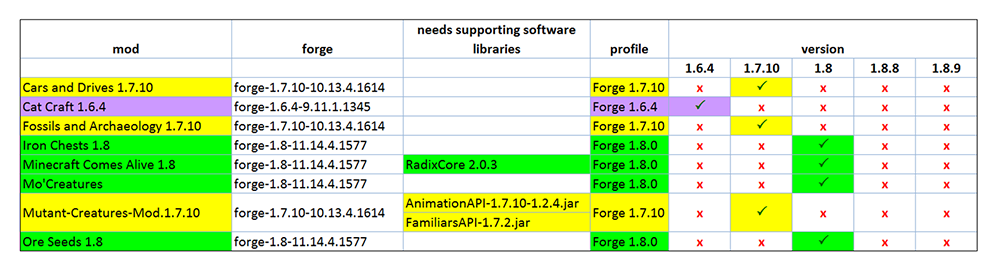
If you happen to have any problems with all of the various versions of mods being in the same .minecraft/mods folder, you can delete all of
the mods in the mods folder that are not pertinent to the version you intend to play. All of the mods you downloaded are still in your original
download folder, and you can recopy them into mods any time you like.
|